You don’t just want the biggest desktop that can fit into your room when you select an electric standing desk. The better desk is the one that gives you enough workspace for your equipment but takes up just enough room in your office.
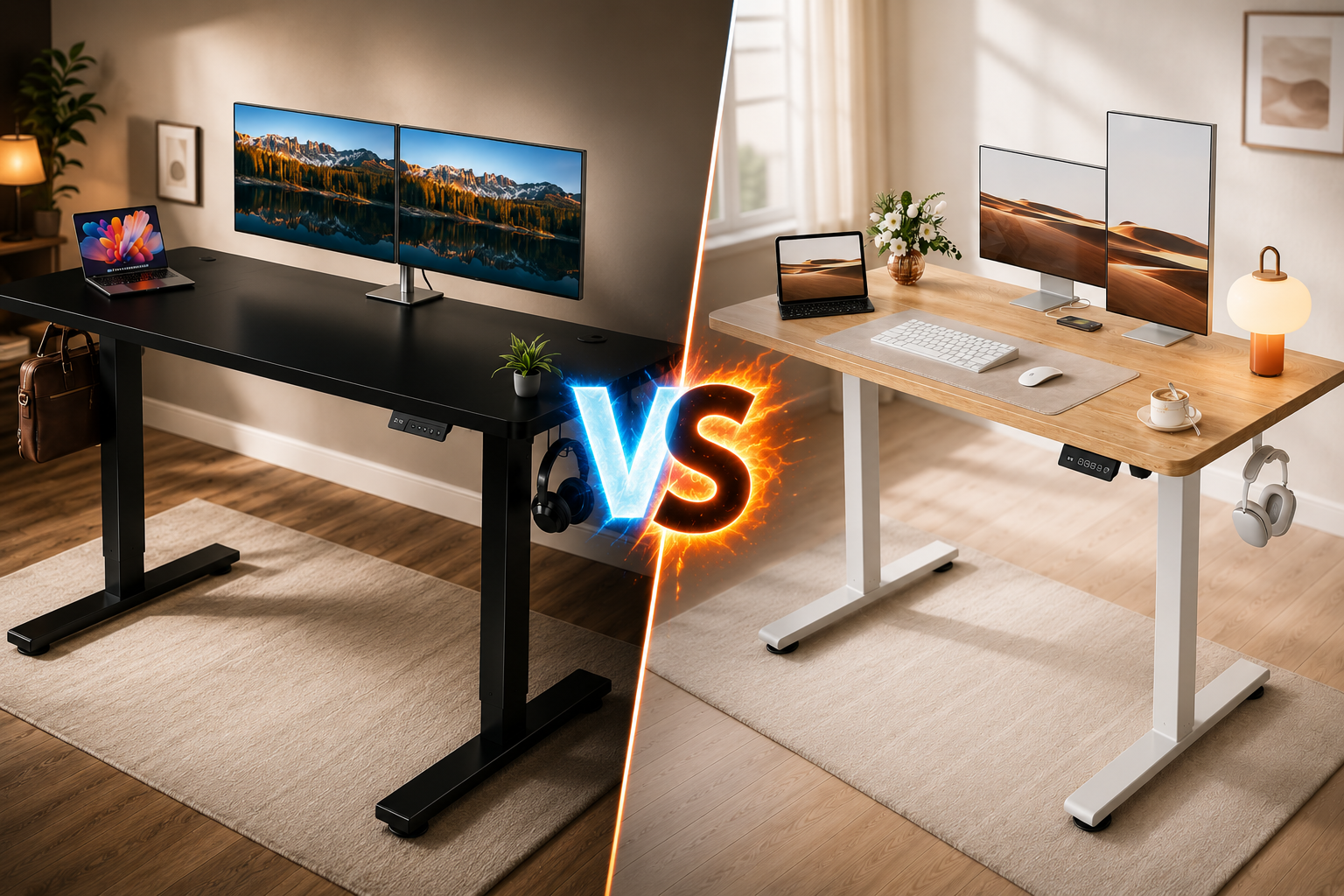
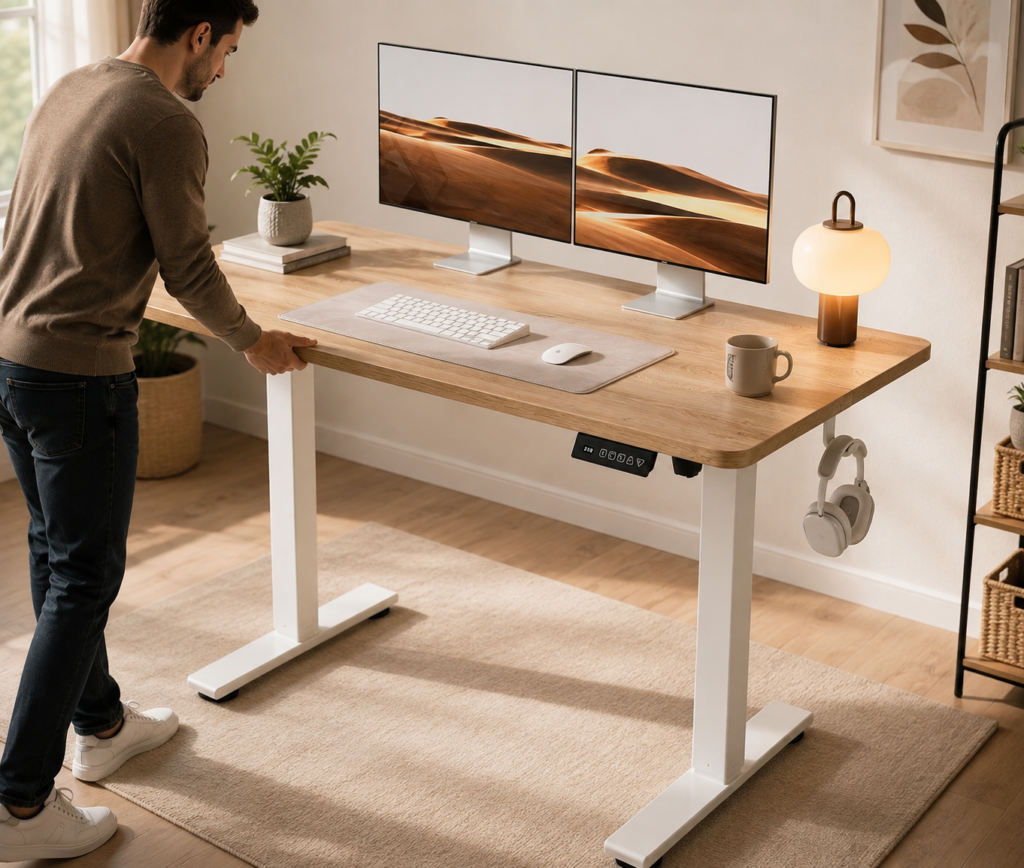
That’s why the Cubiker 48×24 Standing Desk and the Black 60×28 Electric Standing Desk are interesting alternatives. The Cubiker 48×24 takes the compact route. The desktop is 48 by 24 inches, so there’s plenty of room for a lot of standard laptop-and-monitor combinations without overwhelming a bedroom, apartment, study space, or smaller home office. The white frame and maple top also make it lighter and more minimalist in appearance. The Black 60×28, meanwhile, is all about workspace and support. According to the specs provided for this comparison, it has a 60” x 28” desktop, 1” tabletop thickness, double-beam frame, 220-lb capacity rating and three memory height settings.
If you’re dealing with multiple monitors, a desktop computer, speakers, notebooks, and other accessories, that extra 12 inches of width and 4 inches of depth can make a real difference.
Our Top Picks at a Glance
Best Overall : Black 60×28, Larger, stronger feature set.
Best for Small Offices : Cubiker, Compact 48×24 footprint.
Best for Students : Cubiker, Practical study size.
Best for Apartments : Cubiker, Uses less floor space.
Best for Dual Monitors : Black 60×28, More width and depth.
Best for Large Workstations : Black 60×28, 60×28 work surface.
Best for Heavy Setups : Black 60×28, Stated 220-lb capacity.
Best for Memory Controls : Black 60×28, Three memory positions.
Best for Minimalist Setup : Cubiker, Smaller, simpler workspace.
Best for Future Expansion : Black 60×28, More room for equipment.
Best for Home Office : Black 60×28, Better workstation potential.
Best Space-Saving Choice : Cubiker, Easier to fit in small rooms.
How We Tested and Compared
For transparency, this comparison is based on the product specifications supplied for these models and practical use-case analysis. We are not claiming laboratory or long-term hands-on testing of these exact units.
1. Desktop Space
We compared the stated 48×24 and 60×28 dimensions to determine how much usable workspace each format can potentially provide.
The larger desk clearly wins on total surface area.
2. Small-Space Suitability
More desktop space isn’t always better.
We considered how easily each desk should fit into:
- Apartments
- Bedrooms
- Dedicated offices
- Study rooms
- Multipurpose spaces
The Cubiker has the advantage here.
3. Monitor Setup
We considered whether each desktop offers enough room for common configurations such as:
Laptop only
Laptop + monitor
Dual monitors
Desktop PC + monitors
The larger 60×28 format offers more flexibility for complex setups.
4. Frame and Stability
Frame design becomes increasingly important as you add monitors and other equipment.
The Black 60×28 is specified with a double-beam frame, which makes it particularly interesting for buyers prioritizing a larger, heavier workstation.
Actual stability can also vary with desk height, floor surface, assembly quality, and how weight is distributed.
Cubiker 48×24 vs Black 60×28 Comparison Table
| Feature | Cubiker 48×24 | Black 60×28 |
|---|---|---|
| Desktop Size | 48×24 in | 60×28 in |
| Nominal Surface Area | 1,152 sq in | 1,680 sq in |
| Height Adjustable | ✅ Yes | ✅ Yes |
| Electric Adjustment | ✅ Yes | ✅ Yes |
| Sit/Stand Use | ✅ Yes | ✅ Yes |
| Desktop Style | Splice board | 1-inch-thick tabletop* |
| Frame | White frame | Black double-beam frame* |
| Memory Presets | Not specified here | 3* |
| Stated Capacity | Not specified here | 220 lbs* |
| Desktop Depth | 24 in | 28 in |
| Small Office Use | ⭐ Excellent | Good |
| Laptop Setup | ⭐ Excellent | Excellent |
| Single Monitor | ⭐ Excellent | Excellent |
| Dual Monitors | Very Good | ⭐ Excellent |
| Large Workstation | Good | ⭐ Excellent |
| Student Use | ⭐ Excellent | Very Good |
| Heavy Setup | Not enough info to rate capacity | ⭐ Strong on paper |
| Space Efficiency | ⭐ Excellent | Moderate |
| Future Expansion | Good | ⭐ Excellent |
| Color/Finish | White/Maple | Black |
| Best For | Compact workspaces | Large workstations |
| Preliminary Rating | ⭐ 4.6/5 | ⭐ 4.8/5 |
1. Cubiker 48×24 Electric Standing Desk Review
Best for: Small Home Offices, Students & Compact Workspaces
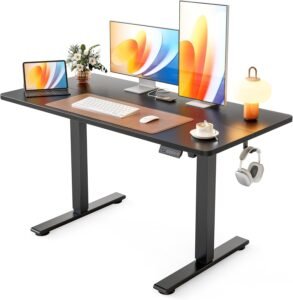
Cubiker Electric Standing Desk Review
- Smooth and quiet height adjustment
- Spacious workspace for dual monitors
- Strong and stable steel frame
- Easy-to-use digital controller
- Excellent value for home offices
- Assembly required
- No built-in cable tray
- Limited premium accessories
What We Like About the Cubiker 48×24
1. Space-Efficient Size : 48×24 inches provides useful workspace without overwhelming a smaller room.
2. Electric Height Adjustment : Changing between sitting and standing requires very little effort.
3. Memory Presets : Saved heights make frequent position changes easier.
4. Good Laptop Workspace : It’s particularly well suited to laptop-focused setups.
Where the Cubiker 48×24 Falls Short
1. Smaller Than the 60×28 Competitor
You lose 12 inches of width and 4 inches of depth.
That difference becomes noticeable with large multi-monitor setups.
2. Splice-Board Desktop
The surface isn’t a single seamless panel.
3. Limited Room for Expansion
A laptop setup may fit perfectly today, but adding two monitors, speakers,
a desktop PC, and other equipment could make the desk crowded.
Who Should Buy the Cubiker 48×24?
Buy It If You:
- Have a smaller home office
- Live in an apartment
- Work in a bedroom
- Mainly use a laptop
- Have one external monitor
- Want a compact dual-monitor setup
- Need electric height adjustment
- Want memory height settings
- Are buying a desk for studying
- Prefer a white/maple design
- Don’t need a huge workstation
Best For:
Students, apartment residents, remote workers, laptop users, small home offices, and buyers who want electric sit-stand functionality without a 60-inch desktop.
Who Should Skip It?
Consider the Black 60×28 Electric Standing Desk instead if you:
- Use multiple large monitors
- Need substantially more workspace
- Have a large desktop computer setup
- Keep lots of equipment on your desk
- Want a deeper work surface
- Need the competitor’s stated 220-lb capacity
- Want more room for future expansion
- Have enough office space for a 60-inch desk
In those situations, choosing the smaller Cubiker just to save a little room could leave your workstation feeling crowded.
2. Black 60×28 Electric Standing Desk Review
Best for: Dual Monitors, Large Workstations & Heavier Office Setups
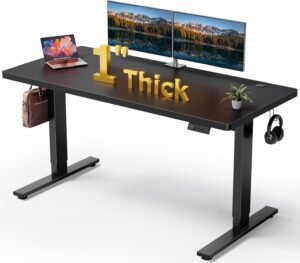
DeskShow 60" × 28" Electric Standing Desk- Review
- Supports up to 220 lbs
- Reinforced double-beam frame improves stability
- Large desktop fits multiple monitors
- Smooth and quiet electric lifting system
- Thick desktop feels premium and durable
- Higher price than entry-level desks
- Large size requires more room
- Three memory presets only
What We Like About the Black 60×28 Standing Desk
1. Excellent Desktop Space : The 60×28 dimensions provide substantially more room than the Cubiker.
2. Extra Desktop Depth : The 28-inch depth makes monitor placement easier.
3. 1-Inch-Thick Top : A more substantial work surface for larger setups.
4. Double-Beam Frame : The reinforced frame is one of the strongest features on paper.
Where the Black 60×28 Falls Short
1. Takes Up More Room
This is not an ideal desk for every bedroom or apartment.
2. Overkill for Basic Laptop Users
If you only need a laptop and mouse, much of the 60×28 surface may go unused.
3. Multi-Piece Desktop
Current user feedback indicates the top may have visible seams.
Who Should Buy the Black 60×28?
Buy It If You:
- Use two monitors
- Have an ultrawide display
- Want a larger workstation
- Work from home full time
- Need room for a laptop and monitors
- Use heavy desk accessories
- Want three saved height positions
- Need more desktop depth
- Have enough space for a 60-inch desk
- Expect your workstation to grow
Best For:
Remote professionals, programmers, designers, gamers, content creators, dual-monitor users, and buyers building a larger long-term home office.
Who Should Skip It?
Consider the Cubiker 48×24 instead if you:
- Have a small bedroom or office
- Live in an apartment with limited space
- Mainly work from a laptop
- Use only one small monitor
- Don’t need a 60-inch work surface
- Prefer a white/maple appearance
- Want your desk to occupy less of the room
For these users, the Cubiker’s smaller dimensions may actually provide the better everyday experience.
Who Should Buy Which Standing Desk?
The Cubiker 48×24 Electric Standing Desk and the Black 60×28 Electric Standing Desk are both practical sit-stand options, but they suit very different workspaces.
The Cubiker makes more sense when saving room and keeping your setup simple are priorities. The Black 60×28 is the stronger choice when you want more desktop space, greater stated load capacity, and room for a larger workstation. The 60×28 model is listed with a 1-inch tabletop, double-beam steel frame, 220-lb capacity, and three memory presets.
Buy the Cubiker 48×24 If You Want a Compact Workstation
Best for: Students, Apartments & Small Home Offices
The biggest reason to choose the Cubiker 48×24 is simple: you don’t need a huge desk to create a useful sit-stand workspace.
A 48×24-inch surface can comfortably suit many everyday computer setups while occupying substantially less room than a 60×28 desk.
Choose the Cubiker if you:
- Work in a small home office
- Use a bedroom as an office
- Live in an apartment
- Mainly work from a laptop
- Use one external monitor
- Have a simple dual-monitor arrangement
- Need a desk for studying
- Want electric height adjustment
- Prefer a white-frame/maple-top appearance
- Want to preserve floor space
Current information for the specified Cubiker configuration confirms a 48×24-inch surface, electric adjustment and memory functionality, though preset count can vary by exact model/listing, so verify the specific version before ordering.
Cubiker Is Better for Small Home Offices
Our Pick: Cubiker 48×24
Not every home has a dedicated office.
Your desk might need to share a room with:
- A bed
- Sofa
- Bookshelf
- Storage cabinet
- Exercise equipment
- Other furniture
That’s where the Cubiker’s smaller footprint becomes valuable.
The 48-inch width saves 12 inches of wall space compared with the 60-inch competitor, while its 24-inch depth extends 4 inches less into the room.
For a small office, those differences can be more important than having the largest possible desktop.
Small-Space Pick: Cubiker
Cubiker Is Better for Students
Our Pick: Cubiker 48×24
Students usually don’t need a workstation designed to hold several large monitors and heavy computer equipment.
A more typical study setup looks like:
Laptop + textbook + notebook + phone
The Cubiker provides enough room for this kind of setup without unnecessarily consuming a large portion of a bedroom or study area.
The electric height adjustment also lets you change position during longer study sessions.
Student Pick: Cubiker
Black 60×28 Is Better for Dual Monitors
Our Pick: Black 60×28
If you’re building a dual-monitor workstation, the extra width matters.
Two monitors can fit on many 48-inch desks, but the setup can become crowded once you add:
Laptop + keyboard + mouse + speakers + docking station
The Black desk’s 60-inch width gives you an extra foot to work with.
Its 28-inch depth also provides additional flexibility for monitor positioning. Retail listings specifically describe the surface as suitable for monitors and equipment.
Dual-Monitor Pick: 🏆 Black 60×28
Black 60×28 Is Better for Heavy Setups
Our Pick: Black 60×28
The listed 220-lb lifting capacity is one of the Black desk’s strongest advantages.
This provides useful headroom if your setup contains:
- Multiple monitors
- Monitor arms
- Desktop computer
- Speakers
- UPS
- Microphone arm
- Audio equipment
- External storage
- Other accessories
You should still avoid treating maximum capacity as a target, but the higher rating makes the desk the more suitable choice on paper for equipment-heavy workstations.
Heavy-Setup Pick: Black 60×28
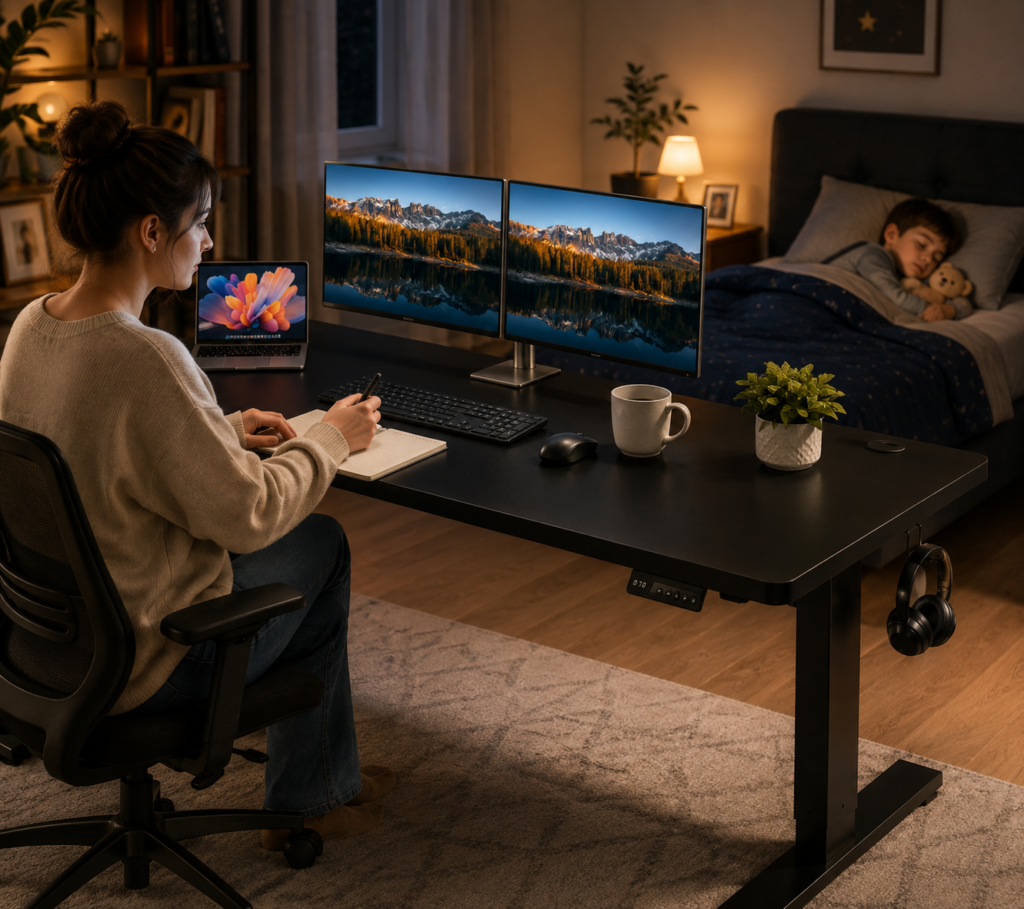
How to Choose the Right Electric Standing Desk
Choosing the right electric standing desk isn’t only about finding a desk that moves up and down. A good desk should fit your room, support your equipment, provide enough working space, and make switching between sitting and standing convenient.
When comparing the Cubiker 48×24 with the Black 60×28 Electric Standing Desk, these six buying factors can help you decide which size and design make more sense for your home office.
1. Start With the Right Desktop Size
Desktop size should be one of your first considerations because it directly affects both your workspace and the amount of room the desk occupies.
Cubiker: 48 × 24 inches
Black desk: 60 × 28 inches
A 48×24-inch desktop provides 1,152 square inches of nominal surface area, while a 60×28-inch desktop provides 1,680 square inches.
That’s about 46% more nominal surface area with the larger desk.
A 48×24 Desk Is Usually Better If You Have:
- A laptop
- One monitor
- Compact dual monitors
- Keyboard and mouse
- A few small accessories
- Limited room
For this type of setup, the Cubiker provides a useful balance between workspace and size.
A 60×28 Desk Is Better If You Have:
- Two large monitors
- An ultrawide monitor
- Desktop computer
- Laptop and docking station
- Large speakers
- Monitor arms
- Microphone equipment
- Several office accessories
The extra width prevents your equipment from feeling crowded, while the additional depth gives you more flexibility for monitor placement.
Buying Tip : Don’t automatically buy the biggest desk you can afford.
2. Measure Your Room Before Buying
A common mistake is checking whether the desktop fits along a wall without considering the rest of the room.
A desk also needs space for:
- Office chair
- Chair movement
- Walking behind the chair
- Cables
- Drawers
- Storage
- Doors
- Nearby furniture
For example, a 60-inch desk might technically fit along your wall but still make the room uncomfortable once you add an office chair.
3. Check the Height Adjustment Range
An electric standing desk isn’t useful if it can’t reach a comfortable height for your body.
You need a suitable position for both:
Sitting
Your elbows should rest naturally around keyboard height without forcing your shoulders upward.
Standing
You should be able to type without excessively bending your wrists or raising your shoulders.
Your monitor should also be positioned so you aren’t constantly looking too far downward or upward.
Don’t choose a desk based only on the words “height adjustable.”
Check the actual minimum and maximum height of the exact model you’re considering.
This becomes particularly important if you are:
- Very tall
- Shorter than average
- Using a walking pad
- Sharing the desk
- Using a thick keyboard tray
- Using unusually tall equipment
Buying Tip : Measure your comfortable sitting and standing keyboard heights first, then compare those measurements with the desk’s listed adjustment range.
Frequently Asked Questions —
Before choosing between the Cubiker 48×24 Electric Standing Desk and the Black 60×28 Electric Standing Desk, buyers usually have questions about desk size, dual-monitor compatibility, stability, weight capacity, and everyday home-office use.
1. Is a 48×24 standing desk big enough for a home office?
Yes, for most compact and moderate setups.
A 48×24-inch desk provides enough room for many common home-office configurations, especially if you primarily use:
- A laptop
- One external monitor
- Keyboard and mouse
- Small speakers
- Phone
- Notebook
- A few desk accessories
The Cubiker in size 48×24 has electric height adjustment, steel frame, three memory presets and a weight capacity of up to 176 lbs.
If you work out of a bedroom, apartment or a small dedicated office, this size can actually be more practical than a larger desk.
The limit becomes obvious when you start adding multiple large monitors, a desktop PC, speakers, microphone equipment and other accessories. By that point, 48×24 can start to feel crowded.
Best for Compact Home Offices: Cubiker 48×24
2. Which standing desk is better for a small room?
Cubiker 48×24
This is one of the clearest wins for Cubiker.
A 60×28 desk gives you more workspace, but it also takes up substantially more room.
The Cubiker saves:
12 inches of width
and
4 inches of depth
compared with the larger desk.
That matters when your office shares space with a:
- Bed
- Sofa
- Bookshelf
- Storage cabinet
- Exercise equipment
- Other furniture
3. Are memory presets worth having on an electric standing desk?
Yes, especially for frequent sit-stand users.
Memory presets are one of those features that can sound unnecessary until you start using them every day.
Without presets, you may need to manually adjust your desk each time you change positions.
With saved heights, you can create something like:
Preset 1 → Sitting
Preset 2 → Standing
Preset 3 → Walking pad or another user
The Black 60×28 is listed with three programmable memory presets.
The specified Cubiker configuration is also commonly listed with three presets, although Cubiker configurations can vary, so check the exact model/controller before purchasing.
Memory settings are particularly valuable for:
Remote workers: Quickly change posture during the workday.
Shared desks: Save heights for different users.
Walking-pad users: Save a dedicated walking position.
Frequent sit-stand users: Avoid repeatedly fine-tuning the desk.
Verdict: Memory presets are worth prioritizing if you’ll adjust the desk regularly.
4. Which Desk Is Better for Students?
Cubiker 48×24
Most students don’t need a 60-inch workstation.
The Cubiker’s 48×24 desktop provides a practical area for:
Laptop + textbook + notebook + phone
without consuming as much of a bedroom or apartment.
For a student who also has a large gaming PC and multiple monitors, however, the 60×28 may be worth the additional space.
Final Winner: Black 60×28 Electric Standing Desk
Final Buying Recommendation
Choose Cubiker 48×24 → if your room is small and your workstation is simple.
Choose Black 60×28 → if you have enough space and want a larger workstation that gives you more room to grow.
For most buyers with a dedicated home office and enough floor space, the Black 60×28 is our winner.
For a full-size home office, its larger and deeper work surface is the deciding factor. Add the 220-lb stated capacity, reinforced double-beam construction, 1-inch-thick top, and three programmable memory settings, and it becomes the more capable option for dual monitors and larger computer setups. But this isn't a case where the loser should automatically be avoided.
The Cubiker 48×24 may actually be the better purchase for a large group of buyers. If you're a student, laptop user, apartment resident, or someone building an office in a bedroom, its smaller footprint could be far more valuable than another 12 inches of desktop width.