Introduction:
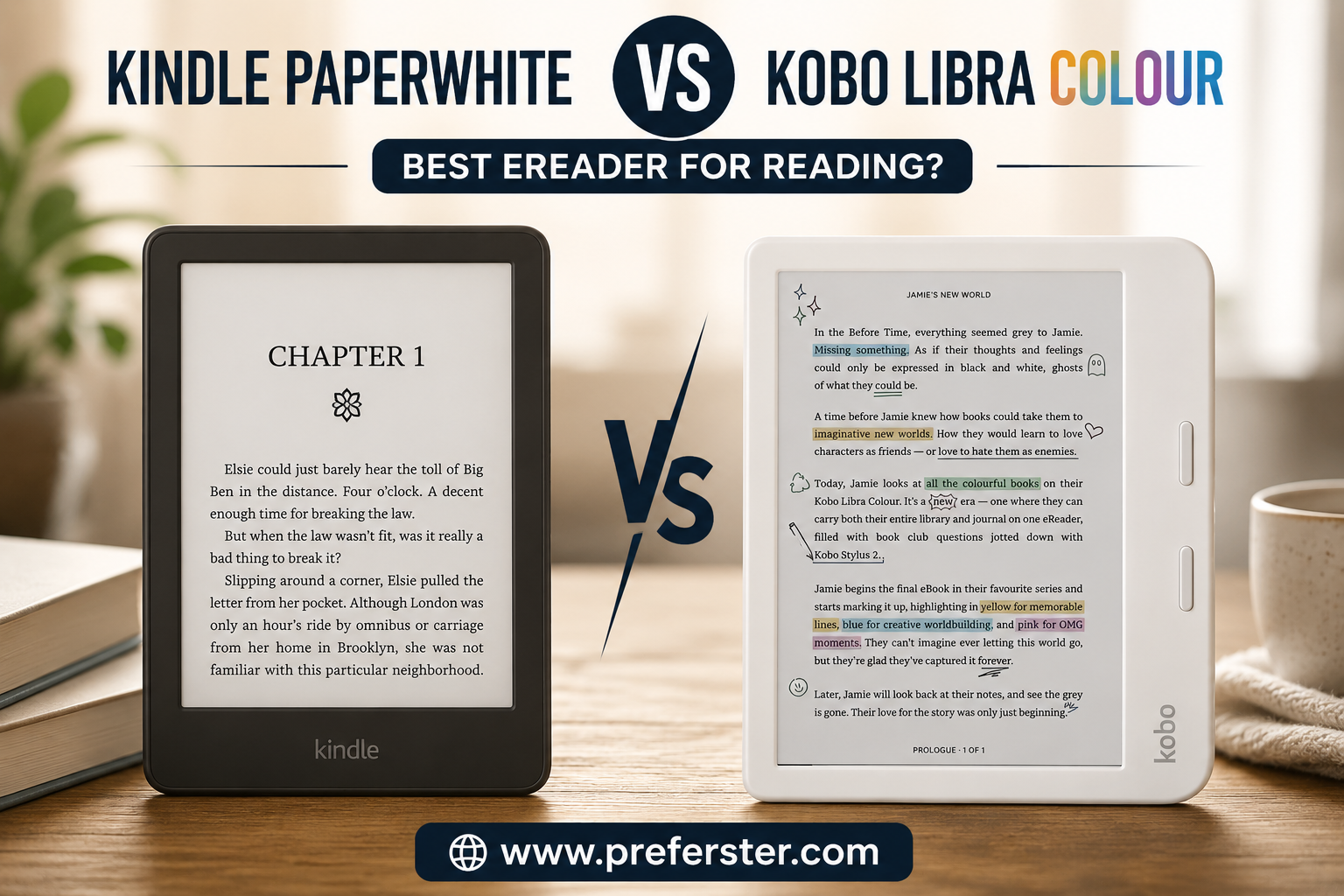
Picking an eReader used to be pretty simple: buy a Kindle, load up a few books and start reading. There are a lot more interesting choices for shoppers today – and the Kindle Paperwhite vs Kobo Libra Colour comparison is one of the more interesting matchups for readers in the United States.
Both devices feature a comfortable 7-inch glare-free E Ink display. Both are waterproof, portable, easier on the eyes than a traditional tablet, and are designed to hold an entire digital library. But they take quite different approaches to the reading experience.
The current Kindle Paperwhite is the 12th generation of the device, which was first launched in 2024. It has a 7-inch, 300-ppi monochrome screen, 16GB of storage, an adjustable warm light, USB-C charging, IPX8 water resistance and a battery life of up to 12 weeks under Amazon’s testing conditions. Amazon also claims this is its fastest Paperwhite yet, with swiping between pages faster than the previous generation.
Like the Kindle Scribe, the Kobo Libra Colour features a 7-inch display, but it uses an E Ink Kaleido 3 panel that can display color. It is better suited for book covers, highlighted text, illustrated books, graphic novels, travel guides, cookbooks and documents with charts. It also has physical page-turn buttons, 32GB of storage, ComfortLight PRO, screen rotation, Dark Mode, audiobook support and compatibility with the separately sold Kobo Stylus 2.
This difference – premium black and white reading vs. a more flexible color reading and note-taking experience – is characteristic of most of this comparison.
The Kindle Paperwhite will likely feel more familiar to US shoppers. It’s fully integrated with Amazon’s Kindle Store, Kindle Unlimited, and Prime Reading, giving you access to a huge library of ebooks. If you have Kindle books you can sign in and view your eligible purchases in your library.
Kobo Libra Colour is a more open and customizable experience. It’s especially appealing to readers who buy EPUB files from multiple stores, borrow ebooks from a public library, like physical buttons, or want to write directly on supported books and notebooks with an optional stylus.
Neither is better for every reader, by default.
Which is right for you depends on what you read, where you buy or borrow your books, whether you care about color and how much you value Amazon’s convenience vs. Kobo’s flexibility.
Quick Answer:
For most casual readers already invested in Amazon’s ecosystem, the Kindle Paperwhite is the safer overall purchase. Its black-and-white text looks crisp, its interface is familiar, its battery lasts for weeks, and buying or downloading Kindle books is extremely convenient.
The Kobo Libra Colour is the better feature-rich option for readers who want color, page-turn buttons, 32GB of storage, library borrowing, broader file flexibility, and optional handwriting support.
Quick Verdict :
| Category | Winner | Why It Wins |
|---|---|---|
| Best for most readers | Kindle Paperwhite | Simple interface, excellent text clarity, long battery life, and easy Kindle Store access |
| Best color eReader | Kobo Libra Colour | Displays book covers, highlights, illustrations, and graphics in color |
| Best for Amazon customers | Kindle Paperwhite | Seamless access to Kindle books, Kindle Unlimited, and Amazon services |
| Best for library borrowers | Kobo Libra Colour | Stronger library-focused experience and broad ebook compatibility |
| Best for physical controls | Kobo Libra Colour | Includes dedicated page-turn buttons |
| Best for note-taking | Kobo Libra Colour | Compatible with Kobo Stylus 2 for writing and annotation |
| Best for pure text reading | Kindle Paperwhite | Sharp 300-ppi monochrome screen with excellent contrast |
| Best storage capacity | Kobo Libra Colour | Includes 32GB compared with 16GB on the standard Paperwhite |
| Best battery life | Kindle Paperwhite | Rated for up to 12 weeks under Amazon’s usage conditions |
| Best overall value | Kindle Paperwhite | Covers the essential reading experience without charging extra for color and stylus features |
| Best overall versatility | Kobo Libra Colour | Combines color, buttons, storage, annotation, rotation, and flexible file support |
| Overall winner | Kindle Paperwhite | Best choice for the largest number of everyday ebook readers |
Overall Winner: Kindle Paperwhite:
🏆 Our overall winner is the Kindle Paperwhite.
The Kindle Paperwhite wins because it delivers the experience most ebook shoppers are looking for: sharp text, minimal distractions, easy book purchasing, strong battery life, waterproof construction, and a comfortable display that works indoors or outside.
It does not have a color screen, physical page-turn buttons, or stylus support. However, those extras are not essential for readers who primarily enjoy novels, biographies, mysteries, self-help books, or other text-heavy content.
The Paperwhite’s 300-ppi monochrome display is particularly important. Black-and-white E Ink screens generally prioritize text contrast and clarity, making the device feel close to reading printed paper. For long reading sessions, that straightforward experience can be more valuable than having muted color.
Choose the Kindle Paperwhite if:
- You already buy ebooks from Amazon.
- You subscribe to Kindle Unlimited.
- You mostly read novels and text-heavy books.
- You want the longest possible time between charges.
- You prefer a simple, distraction-free device.
- You do not need physical page-turn buttons.
- You want strong value without paying for color features.
Best for: Everyday readers, Amazon customers, travelers, vacation reading, bedtime reading, and anyone who primarily reads text.
CTA Button Text:
Check Kindle Paperwhite Price on Amazon
Best Feature-Rich Choice: Kobo Libra Colour:
🌈 The Kobo Libra Colour is the better choice for readers who want more than basic black-and-white reading.
The color E Ink screen makes book covers, highlighted text, diagrams, comics, cookbooks and illustrated content more fun. The colors are softer and more paper-like than the bright colors on an iPad or traditional tablet, but that’s to be expected with current color E Ink technology.
The Libra Colour also has physical page turn buttons and an asymmetrical grip. This design means you can hold the device from one side and flick through pages without constantly touching the screen. Kobo support left and right-side rotation and landscape mode so readers can change grip or orientation comfortably.
With 32GB of storage, it has more space than the standard 16GB Kindle Paperwhite but both will hold thousands of traditional ebooks. Extra storage becomes more useful for audiobooks, graphic novels, large PDFs, and publications with many images.
Another big plus is that it’s compatible with the Kobo Stylus 2. The stylus is usually sold separately, but lets users write notes, highlight supported books and create digital notebooks.
Choose the Kobo Libra Colour if:
- You want a color E Ink screen.
- You prefer physical page-turn buttons.
- You regularly borrow ebooks from your public library.
- You own a collection of EPUB files.
- You want to highlight passages in different colors.
- You want optional stylus-based note-taking.
- You read comics, cookbooks, guides, or illustrated books.
- You prefer more storage and customization.
Best for: Library users, EPUB readers, students, note-takers, graphic-novel readers, and anyone who values physical page buttons.
CTA Button Text:
Check Kobo Libra Colour Price on Amazon
Kindle Paperwhite vs Kobo Libra Colour Comparison Table:
| Feature | Kindle Paperwhite | Kobo Libra Colour |
| Display size | 7 inches | 7 inches |
| Display type | Monochrome E Ink Paperwhite | Color E Ink Kaleido 3 |
| Black-and-white resolution | 300 ppi | 300 ppi |
| Color resolution | Not applicable | 150 ppi |
| Screen lighting | Adjustable front light and warm light | ComfortLight PRO with adjustable brightness and color temperature |
| Color content | No | Yes |
| Storage | 16GB | 32GB |
| Page-turn buttons | No | Yes |
| Touchscreen | Yes | Yes |
| Stylus support | No | Yes, Kobo Stylus 2 sold separately |
| Waterproofing | IPX8 | IPX8 |
| Charging connection | USB-C | USB-C |
| Wireless charging | No on standard model | No |
| Auto-adjusting light | No on standard model | No |
| Dark Mode | Yes | Yes |
| Screen rotation | Limited reading orientation | Left/right rotation and landscape mode |
| Audiobook support | Audible audiobooks through Bluetooth | Kobo Audiobooks through Bluetooth |
| Library borrowing | Possible through compatible services and supported workflows | Strong built-in library-focused experience in supported regions |
| Primary bookstore | Amazon Kindle Store | Kobo Store |
| Common ebook ecosystem | Kindle formats and Send to Kindle | EPUB-friendly Kobo ecosystem |
| Cloud integration | Amazon cloud and Send to Kindle | Dropbox and Google Drive integration |
| Battery claim | Up to 12 weeks | Up to several weeks, depending on use |
| Best use | Novels and text-heavy books | Color content, library books, annotation, and flexible reading |
| Main advantage | Crisp text and Amazon convenience | Color, buttons, storage, and stylus support |
| Main drawback | No color or page buttons | Color screen has lower contrast than premium monochrome E Ink |
| Overall recommendation | Best for most readers | Best for readers wanting more features |
The Biggest Differences at a Glance:
1. The Kindle Paperwhite Has a Monochrome Screen
The Paperwhite is focused on traditional ebook reading. Its display produces sharp black text on a light background and is especially well suited to novels and other text-heavy material.
Because it does not need to display color, it can prioritize contrast and clarity. Readers who want the closest possible digital alternative to a printed paperback may prefer this approach.
2. The Kobo Libra Colour Displays Color
The Kobo’s display can show color in book covers, highlights, illustrations, charts, comics, and menus. The colors are more muted than an LCD or OLED screen, but the display maintains the low-power and outdoor-readable benefits associated with E Ink.
Color is not necessary for novels, but it can make a meaningful difference for readers who consume visual content or organize their annotations using different highlight colors.
3. Kobo Includes Physical Page-Turn Buttons
The Kobo Libra Colour has two dedicated page-turn buttons beside the screen. These buttons are useful when reading one-handed, wearing gloves, or holding the device from its wider side grip.
The Kindle Paperwhite relies on touchscreen gestures. Swiping and tapping work well, but readers who strongly prefer tactile controls may find the Kobo more comfortable.
4. Kindle Offers the Stronger Amazon Experience
The Paperwhite is designed around Amazon’s ebook ecosystem. Kindle Store purchases, Kindle Unlimited titles, samples, personal documents, reading progress, and compatible library content can be connected to an Amazon account.
This makes the Paperwhite exceptionally convenient for readers who already purchase books from Amazon.
5. Kobo Provides More Storage and Greater Flexibility
The Kobo Libra Colour includes 32GB of storage, while the standard Paperwhite provides 16GB. Both capacities are sufficient for thousands of ordinary ebooks, but Kobo’s additional space can benefit people who store comics, PDFs, audiobooks, or image-heavy publications.
Kobo is also the more appealing platform for shoppers who value EPUB compatibility, cloud-file integration, library access, and the ability to purchase books outside one dominant retail ecosystem.
Early Buying Recommendation:
Buy the Kindle Paperwhite when your priority is reading novels on a clear black-and-white screen with minimal setup. It is the easier recommendation for most U.S. readers because Amazon’s book ecosystem is convenient, familiar, and extensive.
Buy the Kobo Libra Colour when its additional features match how you actually read. Color, buttons, stylus compatibility, 32GB of storage, and library-friendly functionality can justify its higher price for the right person.
Do not choose the Kobo only because “color” sounds more advanced. If 90% of your reading consists of black text on a white page, the Paperwhite’s monochrome display may look cleaner and more natural.
Likewise, do not automatically choose the Kindle simply because it is more familiar. Readers with large EPUB libraries, frequent library borrowers, serious highlighters, and people who dislike touchscreen-only page turning may be much happier with the Kobo.
Quick Buying Decision:
| Your Priority | Buy This |
| I want the simplest eReader | Kindle Paperwhite |
| I mostly read novels | Kindle Paperwhite |
| I already own many Kindle books | Kindle Paperwhite |
| I use Kindle Unlimited | Kindle Paperwhite |
| I want long battery life | Kindle Paperwhite |
| I want color highlights | Kobo Libra Colour |
| I read graphic novels or illustrated books | Kobo Libra Colour |
| I borrow many library ebooks | Kobo Libra Colour |
| I want page-turn buttons | Kobo Libra Colour |
| I want to write notes with a stylus | Kobo Libra Colour |
| I own many EPUB files | Kobo Libra Colour |
| I want the best choice for most readers | Kindle Paperwhite |
| I want the most versatile device | Kobo Libra Colour |
Our Recommendation:
Choose Kindle Paperwhite for the best pure reading experience and overall value.
Choose Kobo Libra Colour for color, library access, physical buttons, and advanced reading features.
Overall Winner: Kindle Paperwhite 🥇
Kindle Paperwhite – Review:
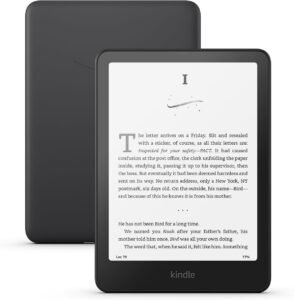
The Kindle Paperwhite (12th Generation) remains one of America’s best-selling eReaders and for good reason. It takes everything that was great about the previous generation Paperwhites and makes it better – faster page turns, a larger 7 inch display, longer battery life, and an even better reading experience, while still keeping the features our readers love.
Whereas iPads and other tablets are multi-purpose devices, the Kindle Paperwhite is built for one thing: reading without distractions. No notifications from social media, no unnecessary apps, no constant interruptions. Instead, you get an eReader that’s remarkably like reading a printed book.
The Paperwhite remains one of the easiest to recommend for readers whose tastes skew heavily toward novels, biographies, nonfiction, self-help, mysteries, romance and business books in 2026.
Kindle Paperwhite Specifications :
| Feature | Kindle Paperwhite |
|---|---|
| Display | 7-inch Paperwhite E Ink |
| Resolution | 300 PPI |
| Screen Type | Black & White E Ink |
| Storage | 16 GB |
| Waterproof | IPX8 |
| Charging | USB-C |
| Battery | Up to 12 Weeks |
| Warm Light | Yes |
| Auto Brightness | Signature Edition Only |
| Wireless Charging | Signature Edition Only |
| Weight | Approx. 7.4 oz (211 g) |
| Bluetooth | Yes (Audible) |
| Page Turn Buttons | No |
Design & Build Quality:
Amazon hasn’t gone in for a full redesign on the Paperwhite, and frankly it didn’t need to.
The device preserves the clean, minimalist aesthetic that Kindle fans have come to love over the years. The bezels are thin enough to give you maximum screen space, but they still leave enough room to hold the device easily without touching the screen accidentally.
The matte finish is better at resisting fingerprints than glossy tablets, giving it a premium feel even after hours of reading.
The body is plastic but doesn’t feel cheap. Instead it feels solid, light and comfortable to read for long periods.
Weight is one of the biggest reasons many readers opt for the Paperwhite instead of a traditional tablet. Weighing just a little more than seven ounces, it’s light enough to hold in one hand through long reading sessions.
It never feels bulky, whether you’re kicking back on the couch, reading in bed, or taking it with you on the go.
Design Rating:
| Category | Rating |
|---|---|
| Build Quality | ⭐⭐⭐⭐⭐ |
| Comfort | ⭐⭐⭐⭐⭐ |
| Portability | ⭐⭐⭐⭐⭐ |
| Premium Feel | ⭐⭐⭐⭐☆ |
Display Quality:
The display is where the Kindle Paperwhite truly shines.
Amazon uses a 7-inch 300 PPI Paperwhite display, which produces crisp, sharp text that closely resembles printed paper.
Unlike LCD or OLED screens, E Ink reflects ambient light instead of emitting bright blue light directly into your eyes. That makes reading for hours much more comfortable.
Letters appear razor sharp.
Fonts look clean.
Page backgrounds remain soft instead of glaring white.
For readers who spend several hours each day reading, the difference is noticeable.
Even in bright sunlight, the display remains extremely readable with almost zero glare.
Outdoor readers will especially appreciate this advantage over traditional tablets
Adjustable Warm Light:
One feature that many readers underestimate is the adjustable warm light.
During daytime reading, you can keep the display cool and bright.
At night, you can gradually increase the warm light to reduce eye strain before bed.
Many readers find this much more relaxing than reading on a smartphone.
Because the lighting shines across the display instead of directly into your eyes, it creates a more natural reading experience.
Reading Experience:
This is where the Kindle Paperwhite earns its reputation.
Reading on the Paperwhite feels remarkably close to reading an actual paperback.
Page turns are now noticeably faster than previous generations.
Books open quickly.
Navigation feels responsive.
Highlighting passages is simple.
Changing fonts takes only seconds.
Readers can also customize nearly everything, including:
- Font style
- Font size
- Line spacing
- Margins
- Boldness
- Orientation
This level of customization allows almost everyone to find comfortable reading settings.
Kindle Store Ecosystem:
One of Amazon’s biggest advantages is its enormous ebook ecosystem.
The Kindle Store offers millions of books across virtually every category.
Popular genres include:
- Fiction
- Romance
- Mystery
- Thriller
- Science Fiction
- Fantasy
- Business
- Biography
- Self Help
- Children’s Books
- Cookbooks
New releases often appear on Kindle the same day as physical books.
Shopping is simple.
If you already have an Amazon account, purchasing a new book usually takes less than a minute.
The book automatically downloads to your Kindle.
No cables.
No syncing.
No complicated setup
Audible Integration:
The Kindle Paperwhite also supports Audible audiobooks.
Simply connect Bluetooth headphones or speakers.
Switch between reading and listening whenever you want.
This feature works particularly well for commuters or travelers who enjoy alternating between reading and audio
Battery Life:
Battery life remains one of the Kindle Paperwhite’s strongest selling points.
Amazon rates it for up to 12 weeks under typical reading conditions.
Real-world battery life depends on:
- Brightness
- Warm light
- Wireless usage
- Audible playback
- Reading time
Even with daily reading, many users only need to recharge every few weeks.
Compared with tablets that often require daily charging, this is a major advantage
Waterproof Protection:
The Kindle Paperwhite carries an IPX8 waterproof rating.
That means it can survive accidental drops into fresh water under specified testing conditions.
For readers, this is surprisingly useful.
You can comfortably read:
- At the beach
- By the swimming pool
- In the bathtub
- During light rain
Without worrying about accidental splashes
Storage Capacity:
The standard Kindle Paperwhite comes with 16 GB of storage.
Although this may sound small compared to smartphones, ebooks require very little space.
A typical novel is only a few megabytes.
Thousands of books can fit comfortably on the device.
Storage only becomes more important if you download many Audible audiobooks
Performance:
Amazon upgraded the processor in the newest Paperwhite.
The improvements are immediately noticeable.
Page turns feel smoother.
Menus respond faster.
Books open more quickly.
Searching within books feels more responsive than previous Paperwhite generations.
Although it isn’t as fast as an iPad, that’s not the goal.
Everything related to reading feels smooth.
User Interface:
Amazon’s interface is extremely beginner-friendly.
Even someone buying their first eReader can usually learn everything within minutes.
The Home screen is organized clearly.
Your Library stays synced across Kindle devices.
Book recommendations are personalized.
Menus are straightforward.
There is almost no learning curve.
Our Experience:
After spending time with the Kindle Paperwhite, it’s easy to understand why it continues to dominate the eReader market.
Everything simply works.
The display is beautiful.
Reading feels effortless.
Battery life is exceptional.
The Kindle ecosystem removes nearly every obstacle between buying a book and reading it.
Most readers will never notice the absence of color because novels remain the most popular ebook category.
Unless you specifically need color illustrations, handwritten notes, or physical page buttons, the Kindle Paperwhite delivers one of the best reading experiences available today.
| Category | Score |
|---|---|
| Design | ⭐⭐⭐⭐⭐ |
| Display | ⭐⭐⭐⭐⭐ |
| Reading Experience | ⭐⭐⭐⭐⭐ |
| Performance | ⭐⭐⭐⭐⭐ |
| Battery | ⭐⭐⭐⭐⭐ |
| Software | ⭐⭐⭐⭐⭐ |
| Value | ⭐⭐⭐⭐⭐ |
| Ease of Use | ⭐⭐⭐⭐⭐ |
Final Thoughts on the Kindle Paperwhite:
The Kindle Paperwhite remains the benchmark for dedicated eReaders in 2026. Its combination of a sharp 300 PPI display, weeks-long battery life, waterproof construction, and seamless integration with Amazon’s Kindle ecosystem makes it an outstanding choice for readers who primarily enjoy text-based books.
While it doesn’t offer color, physical page-turn buttons, or stylus support, those omissions are unlikely to matter for most people. If your goal is to enjoy novels, biographies, business books, or other long-form reading with minimal distractions, the Kindle Paperwhite delivers an experience that’s difficult to beat.
Overall Rating: ⭐⭐⭐⭐⭐ (4.9/5)
Kobo Libra Colour – Review:
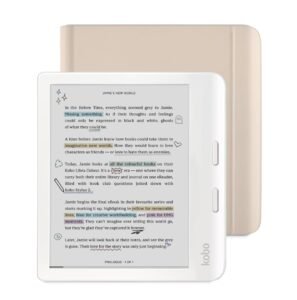
The Kobo Libra Colour is one of the most exciting eReaders available in 2026. While Amazon continues refining the Kindle Paperwhite for traditional black-and-white reading, Kobo has taken a different approach by introducing a color E Ink display, physical page-turn buttons, stylus support, and a more open reading ecosystem.
Instead of trying to compete directly with Kindle’s simplicity, the Kobo Libra Colour targets readers who want more flexibility, more customization, and more ways to enjoy digital books.
If you regularly borrow ebooks from your local library, own EPUB files, enjoy graphic novels, highlight passages in different colors, or like taking notes while reading, the Kobo Libra Colour offers features you simply won’t find on the standard Kindle Paperwhite.
Although it costs a little more, many readers will find the additional features well worth the investment.
Design & Build Quality :
The first thing you’ll notice about the Kobo Libra Colour is the design.
The bezels on the Libra Colour aren’t symmetrical like the Kindle Paperwhite – instead, the Libra Colour features an ergonomic side grip with two dedicated page turn buttons.
That makes for much more comfortable holding of the device during long reading sessions.
Whether you are reading on the couch, lying in bed, or traveling on a plane, your thumb naturally rests on the buttons, flipping pages without touching the screen.
The asymmetrical design might seem weird at first but after a few minutes of use it quickly becomes one of the best things about the Kobo.
Soft matte finish resists fingerprints and offers a secure grip.
It feels like premium build quality, durable and well thought out for general everyday reading
Design Rating:
| Category | Rating |
|---|---|
| Build Quality | ⭐⭐⭐⭐⭐ |
| Comfort | ⭐⭐⭐⭐⭐ |
| Ergonomics | ⭐⭐⭐⭐⭐ |
| Premium Feel | ⭐⭐⭐⭐⭐ |
Color E Ink Display:
The Kobo Libra Colour’s biggest selling point is its 7-inch E Ink Kaleido 3 color display.
Unlike traditional LCD or OLED screens, E Ink reflects ambient light, making it comfortable to read outdoors and reducing eye fatigue during long reading sessions.
The screen displays:
- Book covers in color
- Comics
- Manga
- Cookbooks
- Children’s books
- Travel guides
- Charts
- Diagrams
- Color highlights
Text remains incredibly sharp thanks to its 300 PPI black-and-white resolution, while color content appears at 150 PPI.
Although colors aren’t as vibrant as those on an iPad or Android tablet, that’s intentional. The muted tones mimic printed paper and consume far less battery power.
For readers who mainly read novels, the color screen isn’t essential.
However, if you frequently read visually rich content, the difference is immediately noticeable.
Physical Page-Turn Buttons:
One feature Kindle users often wish they had is dedicated page-turn buttons.
The Kobo Libra Colour includes two responsive buttons positioned perfectly on the side grip.
Benefits include:
- Easier one-handed reading
- Better comfort while lying down
- Fewer accidental screen touches
- Faster page turning
- Better accessibility
You can still swipe or tap the touchscreen if you prefer.
Having both options makes the Kobo feel more versatile
Reading Experience:
Reading on the Kobo Libra Colour feels smooth and natural.
The display refreshes quickly, menus are responsive, and page turns happen with minimal delay.
The interface offers extensive customization, allowing readers to adjust:
- Font size
- Font style
- Line spacing
- Margins
- Screen orientation
- Brightness
- Warm light
- Reading statistics
Readers who enjoy tailoring their experience will appreciate Kobo’s flexibility
EPUB Support:
One of Kobo’s greatest strengths is its support for EPUB, the world’s most common ebook format.
Unlike Kindle’s more closed ecosystem, Kobo allows readers to purchase ebooks from numerous stores and transfer files with ease.
If you’ve built a personal digital library over the years, Kobo makes managing those books significantly easier.
Public Library Integration:
For many American readers, this is one o:f Kobo’s biggest advantages.
Borrowing ebooks from participating public libraries is simple and convenient.
Instead of purchasing every book, readers can check out thousands of titles using their library card.
Frequent library users can save hundreds of dollars each year.
Storage Capacity:
The Kobo Libra Colour includes 32 GB of storage, double the capacity of the standard Kindle Paperwhite.
That additional storage is especially valuable for:
- Graphic novels
- Manga
- Audiobooks
- PDFs
- Magazines
- Large image-heavy books
Although both devices can store thousands of standard ebooks, Kobo offers more room for multimedia content
Battery Life:
Despite using a color display, battery performance remains excellent.
Most readers can expect several weeks of use between charges, depending on:
- Brightness
- Wi-Fi usage
- Audiobook playback
- Stylus use
- Reading hours
While Amazon claims a slightly longer battery life for the Kindle Paperwhite, the Kobo still comfortably outlasts tablets and smartphones
Waterproof Protection:
Like the Kindle Paperwhite, the Kobo Libra Colour carries an IPX8 waterproof rating.
You can confidently read:
- At the beach
- Poolside
- In the bathtub
- On rainy days
Without worrying about accidental splashes or drops into fresh water.
Performance:
The Kobo Libra Colour feels responsive during everyday use.
Books open quickly.
Menus are easy to navigate.
Page turns are smooth.
Searching your library is fast.
While it may not be designed for heavy multitasking like a tablet, every reading-related task performs well
User Interface:
Kobo’s software is clean and intuitive while offering more customization than Kindle.
Features include:
- Reading statistics
- Collections
- Dark Mode
- Dropbox integration
- Google Drive support
- Reading goals
- Custom fonts
Power users will likely appreciate the additional control
Our Experience:
The Kobo Libra Colour feels like an eReader built specifically for readers who want more than just a digital paperback.
The color display makes book covers, comics, cookbooks, and illustrated content more engaging without sacrificing the paper-like reading experience that E Ink is known for.
The physical page-turn buttons quickly become addictive, especially during long reading sessions, and the option to write notes with the Kobo Stylus 2 adds another layer of versatility.
For readers who value openness, EPUB compatibility, library borrowing, and customization, the Kobo Libra Colour is one of the best eReaders available today
Final Thoughts on the Kobo Libra Colour:
The Kobo Libra Colour is an excellent choice for readers who want a more feature-rich eReader than the standard Kindle Paperwhite. Its color E Ink display, ergonomic design with page-turn buttons, stylus support, generous 32GB storage, and flexible EPUB-friendly ecosystem make it especially appealing to library users, students, comic readers, and anyone who enjoys customizing their reading experience.
While it costs more than the Kindle Paperwhite and its color display isn’t as vibrant as a tablet’s, those trade-offs are outweighed by its versatility for the right user.
Overall Rating: ⭐⭐⭐⭐⭐ (4.8/5)
Head-to-Head Comparison :
Now that we’ve looked at each eReader individually, it’s time for the comparison most buyers are looking for.
Both the Kindle Paperwhite and Kobo Libra Colour are premium 7-inch waterproof eReaders with USB-C charging, adjustable front lighting, and weeks-long battery life. However, they target different types of readers.
The Kindle Paperwhite focuses on delivering the best possible traditional reading experience, while the Kobo Libra Colour emphasizes versatility, customization, and color content.
Final Head-to-Head Results:
| Device | Categories Won |
|---|---|
| Kindle Paperwhite | 4 Wins |
| Kobo Libra Colour | 5 Wins |
| Ties | 2 |
Although the Kobo Libra Colour wins more individual feature categories, that doesn’t automatically make it the better choice for everyone.
The Kindle Paperwhite excels at the essentials: crisp text, exceptional battery life, a polished interface, and seamless integration with Amazon’s ebook ecosystem. For readers who mainly enjoy novels and already buy Kindle books, it remains the easier recommendation.
The Kobo Libra Colour is the more versatile device. Its color E Ink display, physical page-turn buttons, larger storage, stylus support, and flexible EPUB-friendly ecosystem make it an outstanding option for readers who want more than a basic eReader.
Overall Head-to-Head Winner:
🥇 Kindle Paperwhite – Best for Most Readers
Choose the Kindle Paperwhite if you want the simplest, most polished reading experience for novels and everyday ebooks.
🌈 Kobo Libra Colour – Best Feature-Rich Alternative
Choose the Kobo Libra Colour if you value color, handwritten notes, library borrowing, EPUB compatibility, and physical page-turn buttons.
Pros & Cons:
Every eReader has strengths and weaknesses. The Kindle Paperwhite and Kobo Libra Colour are both excellent devices, but they cater to different readers. Before making your purchase, it’s important to understand where each model excels—and where it falls short.
This section summarizes the real-world advantages and disadvantages of both devices to help you make a confident buying decision
Kindle Paperwhite Pros & Cons
The Kindle Paperwhite is designed for readers who want a simple, reliable, and distraction-free reading experience. It doesn’t try to do everything, but it performs its core purpose exceptionally well.
Kindle Paperwhite Pros
| Pros | Why It Matters |
|---|---|
| Sharp 300 PPI Display | Crisp text that’s comfortable to read for hours |
| Excellent Battery Life | Up to 12 weeks between charges under typical use |
| Waterproof Design | Safe for reading by the pool, beach, or bathtub |
| Lightweight & Portable | Easy to hold during long reading sessions |
| Adjustable Warm Light | Reduces eye strain when reading at night |
| Kindle Unlimited Support | Access to millions of books with a subscription |
| Massive Kindle Store | One of the world’s largest ebook collections |
| Audible Integration | Switch between reading and listening via Bluetooth |
| Fast Performance | Quick page turns and responsive navigation |
| Easy to Use | Beginner-friendly interface with minimal setup |
Kindle Paperwhite Cons
| Cons | Why It May Matter |
|---|---|
| No Color Display | Not ideal for comics, magazines, or illustrated books |
| No Page-Turn Buttons | Requires tapping or swiping the touchscreen |
| No Stylus Support | Can’t take handwritten notes or annotate PDFs |
| Limited EPUB Workflow | Less flexible for users with large EPUB libraries |
| Standard Model Has 16 GB | Enough for most readers, but less storage than Kobo |
| Closed Ecosystem | Best experience depends on using Amazon’s services |
Kindle Paperwhite Summary
Best For
- Novel readers
- Kindle Unlimited subscribers
- Amazon customers
- Casual readers
- Travelers
- Readers who prioritize battery life
- People upgrading from an older Kindle
Not Ideal For
- Comic readers
- Students who take handwritten notes
- Heavy library users
- Readers with large EPUB collections
- Users who want physical page-turn buttons
Kobo Libra Colour Pros & Cons:
The Kobo Libra Colour is built for readers who want more flexibility. It combines a color E Ink display, physical page-turn buttons, and stylus compatibility to create one of the most feature-rich eReaders on the market
Kobo Libra Colour Pros
| Pros | Why It Matters |
|---|---|
| Color E Ink Display | Great for comics, cookbooks, travel guides, and illustrations |
| Physical Page Buttons | Comfortable one-handed reading without touching the screen |
| 32 GB Storage | Plenty of space for ebooks, audiobooks, PDFs, and comics |
| Stylus Support | Write notes, annotate books, and create notebooks |
| EPUB Friendly | Supports a wider range of ebook formats |
| Excellent Library Integration | Easy borrowing from participating public libraries |
| Waterproof Design | Read confidently near water |
| Comfortable Ergonomic Grip | Designed for long reading sessions |
| Highly Customizable Software | More reading and display options |
| Dropbox & Google Drive Support | Convenient file transfer and cloud storage |
Kobo Libra Colour Cons
| Cons | Why It May Matter |
|---|---|
| Higher Purchase Price | Costs more than the Kindle Paperwhite |
| Colors Are Muted | E Ink colors are softer than tablet displays |
| Stylus Sold Separately | Additional expense if you want note-taking |
| Smaller Ebook Store | Kobo Store has fewer exclusive titles than Amazon |
| Slightly Shorter Battery Life | Color display can reduce runtime compared to Kindle |
Kobo Libra Colour Summary
Best For
- Comic and manga readers
- Students
- Researchers
- Library users
- Readers with EPUB collections
- Travelers who carry PDFs
- People who prefer page-turn buttons
- Users who take handwritten notes
Not Ideal For
- Readers who only buy books from Amazon
- People looking for the lowest price
- Users who only read text-based novels
- Readers who don’t need color or note-taking
Which Device Has More Advantages?
Kindle Paperwhite Advantages
- Better for traditional book reading
- Longer battery life
- Easier for beginners
- Excellent Amazon integration
- Lower starting price
- Cleaner black-and-white display
- Strong Kindle Unlimited support
Kobo Libra Colour Advantages
- Color E Ink display
- Larger storage capacity
- Physical page-turn buttons
- Stylus compatibility
- Better EPUB support
- Strong library integration
- More customization options
- Dropbox and Google Drive support
Overall Pros & Cons Verdict:
Both eReaders are among the best available in 2026, but they serve different priorities.
The Kindle Paperwhite is the better option for readers who want a straightforward, polished reading experience with excellent battery life and seamless access to Amazon’s ebook ecosystem. It’s the easiest recommendation for the average buyer and offers outstanding value.
The Kobo Libra Colour shines for readers who want more flexibility. Its color display, page-turn buttons, stylus support, larger storage, and EPUB-friendly ecosystem make it a powerful alternative for students, library users, and anyone who reads beyond standard novels.
🏆 Overall Recommendation:
Best Overall for Most Readers: 🥇 Kindle Paperwhite
Best Premium Feature-Rich Alternative: 🌈 Kobo Libra Colour
The next section is Section 6: Who Should Buy the Kindle Paperwhite?, where we’ll match the Kindle to specific types of readers and explain why it’s the ideal choice for each
Both eReaders are among the best available in 2026, but they serve different priorities.
The Kindle Paperwhite is the better option for readers who want a straightforward, polished reading experience with excellent battery life and seamless access to Amazon’s ebook ecosystem. It’s the easiest recommendation for the average buyer and offers outstanding value.
The Kobo Libra Colour shines for readers who want more flexibility. Its color display, page-turn buttons, stylus support, larger storage, and EPUB-friendly ecosystem make it a powerful alternative for students, library users, and anyone who reads beyond standard novels.
Who Should Buy the Kindle Paperwhite?
Choosing between the Kindle Paperwhite and the Kobo Libra Colour ultimately comes down to how you read, where you get your books, and which features matter most.
If your primary goal is to enjoy books with minimal distractions, excellent battery life, and effortless access to millions of ebooks, the Kindle Paperwhite is still one of the best eReaders you can buy in 2026.
It isn’t packed with every advanced feature available, but that’s exactly why many readers love it. Amazon has focused on creating an eReader that’s fast, reliable, comfortable, and incredibly easy to use.
Let’s take a closer look at who will benefit most from the Kindle Paperwhite.
Buy the Kindle Paperwhite If…
1. You Mainly Read Novels
If your digital library is filled with:
- Fiction
- Romance
- Mystery
- Thriller
- Fantasy
- Science Fiction
- Historical Fiction
- Self-Help
- Business Books
- Biographies
the Kindle Paperwhite is probably the better choice.
Its 300 PPI monochrome display delivers incredibly crisp text that closely resembles printed paper.
Since novels rarely require color images, you won’t miss the Kobo’s color display.
Best For
- Fiction lovers
- Book club members
- Everyday readers
Recommendation: ⭐⭐⭐⭐⭐
2. You Already Buy Books from Amazon
Millions of readers already own Kindle books.
If you’ve purchased ebooks from Amazon over the years, switching to another platform could mean rebuilding your digital library.
The Kindle Paperwhite gives you instant access to:
- Kindle Store
- Kindle Unlimited
- Prime Reading
- Audible
Everything syncs automatically across your Kindle devices and apps.
Perfect For
- Existing Kindle owners
- Amazon customers
- Prime members
Recommendation: ⭐⭐⭐⭐⭐
You May Want the Kobo Libra Colour Instead If…
Although the Kindle Paperwhite is our overall winner, it isn’t the perfect fit for everyone.
You should seriously consider the Kobo Libra Colour if you:
- Want a color E Ink display
- Read comics, manga, or illustrated books
- Borrow ebooks frequently from your public library
- Own a large collection of EPUB files
- Prefer physical page-turn buttons
- Want to write notes directly on your eReader
- Need extra storage for PDFs and audiobooks
- Enjoy customizing your reading experience
If several of these features describe your reading habits, the Kobo Libra Colour may offer better long-term value despite its higher price
Kindle Paperwhite Buying Checklist:
Choose the Kindle Paperwhite if you answer “Yes” to most of these questions.
| Question | Yes |
|---|---|
| Do you mostly read novels? | ✅ |
| Do you already buy Kindle books? | ✅ |
| Do you use Amazon regularly? | ✅ |
| Do you want the longest battery life? | ✅ |
| Do you prefer a simple interface? | ✅ |
| Is sharp black-and-white text your priority? | ✅ |
| Do you want excellent value for the money? | ✅ |
| Do you rarely read comics or magazines? | ✅ |
Who Should Buy the Kobo Libra Colour?:
The Kindle Paperwhite is still our top choice for most readers, but if you want more than a traditional eReader, the Kobo Libra Colour is the better bet.
With its E Ink color display, physical page-turn buttons, stylus support, expanded storage, and open ebook ecosystem, it is one of the most versatile eReaders available in 2026.
If you’re not just a novel reader, the Kobo Libra Colour might offer a better all-round experience.
Let’s take a look at who will benefit the most.
Buy the Kobo Libra Colour If…
1. You Want a Color E Ink Display
The biggest reason to choose the Kobo Libra Colour is right in its name—color.
Unlike the Kindle Paperwhite, which only displays black-and-white content, the Kobo Libra Colour brings book covers, comics, diagrams, and highlights to life using E Ink Kaleido 3 technology.
Although the colors are softer than those on an iPad or Android tablet, they feel much closer to printed paper and remain comfortable for long reading sessions.
Best For
- Graphic novel readers
- Comic fans
- Cookbook lovers
- Travel guide readers
- Children’s books
Recommendation: ⭐⭐⭐⭐⭐
2. You Borrow Books from the Public Library
If you regularly borrow ebooks from your local library, the Kobo Libra Colour is one of the best eReaders available.
Instead of purchasing every title, you can access thousands of ebooks through participating public library systems in supported regions.
For readers who finish several books each month, this can save hundreds of dollars every year.
Perfect For
- Library members
- Budget-conscious readers
- Students
- Lifelong learners
Recommendation: ⭐⭐⭐⭐⭐
You May Want the Kindle Paperwhite Instead If…
Despite all its impressive features, the Kobo Libra Colour isn’t automatically the best choice for everyone.
You should strongly consider the Kindle Paperwhite if you:
- Already own a large Kindle library
- Subscribe to Kindle Unlimited
- Mainly read novels and nonfiction
- Prefer the simplest possible interface
- Want the longest battery life
- Don’t need a color display
- Rarely annotate books
- Want the best value for everyday reading
For many readers, these advantages outweigh Kobo’s additional features.
Kobo Libra Colour Is Perfect For These Readers :
| Reader Type | Recommendation |
|---|---|
| Comic Readers | ✅ Excellent Choice |
| Manga Fans | ✅ Excellent Choice |
| Students | ✅ Excellent Choice |
| Teachers | ✅ Excellent Choice |
| Researchers | ✅ Excellent Choice |
| Public Library Users | ✅ Excellent Choice |
| EPUB Collectors | ✅ Excellent Choice |
| Graphic Designers | ✅ Excellent Choice |
| Travelers with PDFs | ✅ Excellent Choice |
| Note-Takers | ✅ Excellent Choice |
Quick Decision Table:
| Your Priority | Best Choice |
|---|---|
| Reading novels | 🥇 Kindle Paperwhite |
| Comics & manga | 🌈 Kobo Libra Colour |
| Public library borrowing | 🌈 Kobo Libra Colour |
| Kindle Unlimited | 🥇 Kindle Paperwhite |
| Handwritten notes | 🌈 Kobo Libra Colour |
| Physical page-turn buttons | 🌈 Kobo Libra Colour |
| Longest battery life | 🥇 Kindle Paperwhite |
| Best overall value | 🥇 Kindle Paperwhite |
| Most versatile features | 🌈 Kobo Libra Colour |
Complete Buying Guide – How to Choose the Right eReader in 2026:
Buying an eReader isn’t just about comparing specifications—it’s about finding a device that matches your reading habits, budget, and long-term needs.
Both the Kindle Paperwhite and Kobo Libra Colour are excellent choices, but they’re designed with different readers in mind.
The Kindle Paperwhite focuses on delivering the best traditional reading experience with Amazon’s extensive ebook ecosystem.
The Kobo Libra Colour, on the other hand, is built for readers who want additional flexibility, color content, handwritten notes, and support for multiple ebook formats.
Before making your purchase, consider the following factors.
Final Buying Advice
If you’re still undecided, think about how you read today—not how you might read someday.
Many buyers are tempted by advanced features they rarely end up using. If your reading consists mostly of novels and nonfiction, the Kindle Paperwhite offers everything you need in a polished, easy-to-use package.
On the other hand, if your reading includes graphic novels, textbooks, PDFs, library books, or you value handwritten notes and greater file flexibility, the Kobo Libra Colour is a smart long-term investment.
🏆 Buying Guide Verdict:
Choose the Kindle Paperwhite if you want the best all-around eReader for most readers.
Choose the Kobo Libra Colour if you want a premium eReader with color, note-taking, and a more flexible reading ecosystem.
Frequently Asked Questions (FAQs):
Before buying a new eReader, most shoppers have similar questions about display quality, battery life, library support, file compatibility, and overall value. Below are answers to the most frequently searched questions about the Kindle Paperwhite vs Kobo Libra Colour to help you make an informed decision.
FAQ Verdict
Both the Kindle Paperwhite and Kobo Libra Colour are outstanding eReaders, but they appeal to different audiences.
If your priority is a straightforward, high-quality reading experience for novels and nonfiction, the Kindle Paperwhite is the safer and more affordable choice.
If you want color, handwritten notes, physical page-turn buttons, and greater flexibility with file formats and library borrowing, the Kobo Libra Colour is well worth considering.
For most readers in 2026, the Kindle Paperwhite remains our overall recommendation, while the Kobo Libra Colour stands out as the best premium alternative for feature-focused users.
Final Call-to-Action
Ready to upgrade your reading experience?
Whether you’re looking for a simple, distraction-free eReader or a feature-packed device with color and note-taking capabilities, both of these models are among the best you can buy in 2026.
- Choose the Kindle Paperwhite if you want the best overall value, exceptional battery life, and effortless access to Amazon’s vast ebook ecosystem.
- Choose the Kobo Libra Colour if you want a color E Ink display, handwritten notes, physical page-turn buttons, and greater flexibility with your digital library.
No matter which one you choose, you’ll enjoy a more comfortable reading experience than a traditional tablet and have thousands of books available wherever you go.
Ready to Buy?
🥇 Kindle Paperwhite (Best Overall)
🌈 Kobo Libra Colour (Best Premium Alternative)
Conclusion
The Kindle Paperwhite vs Kobo Libra Colour comparison doesn’t have a one-size-fits-all winner—but for most readers, the Kindle Paperwhite remains the smartest purchase thanks to its outstanding display, long battery life, and seamless Kindle ecosystem.
If your reading habits include comics, PDFs, handwritten notes, or public library borrowing, the Kobo Libra Colour offers premium features that justify its higher price.
Whichever you choose, you’re investing in an eReader that can make reading more enjoyable, portable, and accessible for years to come.
Thank you for reading this comparison on Preferster! We hope this guide helped you choose the eReader that’s right for you. If you found it useful, check out our other Compare Before You Buy guides for smart buying advice on the latest tech, home, and lifestyle products.